
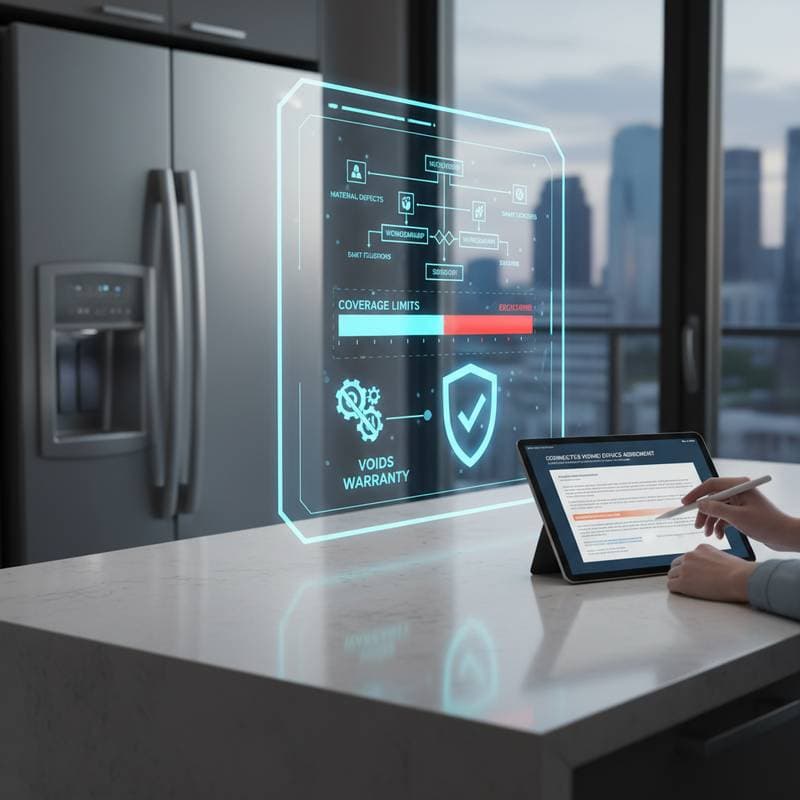
Smart Appliances: What Your Warranty Really Covers
Summary Box
What it is:
A smart appliance warranty represents a written commitment from the manufacturer to repair or replace components that malfunction due to defects in materials or workmanship during normal operation within a specified timeframe.
Why it matters:
The integration of smart features, such as circuit boards, sensors, and software, introduces failure modes distinct from those in traditional mechanical appliances. Awareness of coverage details prevents unexpected expenses and ensures effective use of the warranty.
Typical cost and what changes it:
Standard warranties from most manufacturers cover parts and labor for one year. Extended options extend protection for two to five additional years at a cost of 150 to 500 dollars per appliance, depending on the model and provider.
When to hire a pro:
Engage a licensed technician for any work involving sealed systems, high-voltage components, or software updates tied to connectivity.
How long it takes:
Warranty repairs generally require three to ten days, influenced by parts availability and technician schedules.
Maintenance interval:
Perform software updates and cleaning every three to six months to maintain warranty validity.
Anatomy of a Smart Appliance Warranty
Smart appliance warranties typically encompass several key elements. First, parts coverage safeguards essential internal components, including motors, compressors, and circuit boards against manufacturing defects. Labor coverage reimburses the time a qualified technician spends diagnosing and resolving eligible problems.
Certain brands extend connectivity coverage to specific elements like Wi-Fi modules or touchscreens, treating them as distinct from core mechanical parts. Software support remains limited, often confined to assistance with firmware updates or ensuring compatibility with manufacturer apps. However, exclusions apply broadly: cosmetic damage, consumable items such as filters, and issues stemming from user error fall outside protection.
Grasping these components equips you to anticipate outcomes when issues arise, such as a refrigerator failing to synchronize data or a smart oven disconnecting from the network. Review your warranty document early to identify any brand-specific variations, which can influence how claims proceed.
How to Use Your Warranty
To activate and utilize your warranty effectively, start by locating and reviewing the original paperwork. Verify the duration of coverage and the precise terms, as these define eligibility for claims.
Next, register the product online through the manufacturer's portal, a step many require to initiate protection. This process often involves entering the serial number and purchase details to link the appliance to your account.
When a problem occurs, contact customer service promptly. Present proof of purchase, such as a receipt or invoice, and provide a clear description of the malfunction, including any error codes displayed on the device.
Schedule an inspection with a certified technician, who will assess whether the issue qualifies under the warranty terms. For approved repairs, parts and labor incur no cost to you; for non-covered items, receive a detailed quote prior to any work commencing.
Maintain comprehensive records of all interactions and services. These documents prove invaluable for subsequent claims or when pursuing extended coverage options.
DIY vs Pro
| Factor | DIY Level | Notes |
|---|---|---|
| Skill level | Moderate | Involves interpreting error codes and resetting network connections |
| Safety risk | Medium | Potential for electrical shock when accessing internal panels |
| Tools required | Basic hand tools, multimeter | Use of specialized tools risks voiding the warranty |
| Permit or code | Not required | Electrical or gas modifications must comply with local building codes |
| Time required | 1 to 3 hours | Varies based on part sourcing and complexity |
| Warranty impact | High | Unauthorized interventions often invalidate coverage |
Suitable DIY activities include cleaning sensors to remove dust buildup or performing software updates via the companion app. Reserve tasks involving sealed systems, such as refrigerant lines, or electrical wiring for professionals to avoid safety hazards and warranty complications.
Maintenance and Lifespan
With consistent maintenance, smart appliances endure 10 to 15 years of reliable service. Regularly replace air filters to prevent clogs, clear ventilation paths to ensure proper airflow, and apply software updates to address vulnerabilities and enhance performance.
Disruptions in internet connectivity can hinder update delivery, potentially leading to warranty invalidation under terms that mandate ongoing firmware maintenance. Sustain the link between the appliance and its dedicated app, and verify that each update completes successfully by checking the device's status indicators.
Incorporate these habits into your routine: set calendar reminders for quarterly checks, and document each maintenance session. Such diligence not only prolongs functionality but also fortifies your position during any warranty disputes.
FAQs
Does a smart warranty cover software bugs?
Coverage applies primarily to bugs that impair core functionality, provided the manufacturer verifies the issue as a defect rather than a user-induced problem.
Can I transfer my warranty when selling my home?
Select brands permit transfer upon notification with the new owner's details within a designated timeframe, typically 30 to 60 days.
What voids a smart appliance warranty?
Factors include unauthorized repairs by non-certified individuals, damage from power surges without surge protection, or neglect in product registration.
Are extended warranties worth it?
They prove beneficial for premium or integrated models, where replacement parts carry high costs and installation demands precision.
Can I reset a smart appliance myself?
Yes, consult the user manual for step-by-step reset procedures to ensure safety and avoid unnecessary service calls.
Does the warranty cover connectivity issues?
Protection extends to failures originating from internal hardware defects, but excludes problems related to external factors like home Wi-Fi networks or router malfunctions.
Do I need proof of purchase?
Absolutely; manufacturers routinely deny claims without documentation confirming the purchase date and authenticity.
Making It Happen
Examine your warranty terms proactively, before any malfunction disrupts your routine. Complete product registration immediately upon installation, store digital scans of receipts in a secure folder, and establish a schedule for regular software updates.
In the event of failure, initiate contact with the manufacturer rather than a third-party repair service to preserve coverage integrity. By adhering to these practices, you safeguard your investment in smart technology, ensuring seamless operation and minimizing financial risks over the appliance's lifespan.